File verification, APKS for arm64-v8aSignature matches the developer’s certificate
Unmodified file: same certificate as this app’s versions from the official app store, signed by Glykka LLC (Sunil Patro). A signature shows who signed the file, not how the app behaves. For APKS, the check covers the base APK: Android installs the other parts only if they are signed with the same key.
File verification, APKS for armeabi-v7aSignature matches the developer’s certificate
Unmodified file: same certificate as this app’s versions from the official app store, signed by Glykka LLC (Sunil Patro). A signature shows who signed the file, not how the app behaves. For APKS, the check covers the base APK: Android installs the other parts only if they are signed with the same key.
Hi, There you can download APK file "Signeasy" for Android free, apk file version is 16.5.0 to download to your android device just click this button. It's easy and warranty. We provide only original apk files. If any of materials on this site violates your rights, report us
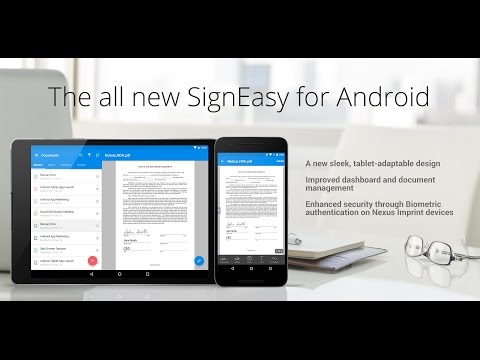
Signeasy is an easy way to sign documents, fill and sign forms, and send documents for e-signature. With Signeasy, eSignatures, digital signatures, and signatures are legally binding, ensuring a seamless way to handle and sign your documents, backed by a digital audit trail.
“Signeasy is a great tool for those always on the go.” - Forbes
“If you deal with paperwork often, you’ll love this.” - The Next Web
“Perfect for anyone who has a lot of paperwork to sign” - Inc.
● Works everywhere you work
Signeasy works across all of your devices — mobile phone, tablet, and desktop, from any location and with any document format (PDF, Word, Excel, JPG, PNG, and more). Signeasy is also optimized to provide your document recipients with a delightful experience, regardless of their device or browser.
● Truly global, it speaks your language
Signeasy is used in 180 countries and supports 24 languages, including English, Spanish, Russian, Portuguese, Japanese, Italian, German, French, Finnish, Dutch, and Chinese.
● Integrates with your favorite cloud storage apps
Import and save signed documents to your favorite cloud storage apps in Google Drive, Dropbox, Box, OneDrive, and more.
**Signeasy supports all of your eSignature needs**
● Sign documents
Draw, or import your signature. Upload documents and fill in signature, initials, date, email, images, or any type of text like address, phone numbers, etc. All on the app.
● Send documents for signature
Request signatures from others via email whether they are Signeasy users or not. Stay updated with real-time notifications when documents are opened and signed.
● Collect in-person signatures
Sign documents and collect others’ signatures in-person on your mobile phone or tablet to execute contracts faster.
● Legally binding documents
All Signeasy documents are legally binding with a detailed digital audit trail that includes the signer’s email address, device IP, and completion time. Global compliances include ESIGN, UETA, and eIDAS.
● Privacy and security
Signeasy ensures data and information security with industry-standard SSL encryption every time you import, sign, or finalize a document.
Additional features
Save and share frequently used documents as Templates
Offline editing and signature capabilities
Authentication via fingerprint
Customize your email footer while sharing a signed document
Customize signature color, font size, and more
Integrates with your phone, Google, and Outlook contacts
Widgets for quick access to important tasks and alerts
Post expiration of the free trial, upgrade in-app to one of the plans below.
● Essential plan
Sign an unlimited number of documents
Request signatures from others via email (5 docs per month)
Advanced security, offline signing, and more
99.99/year or 14.99/month
● Pro plan
All Essential features, plus
Unlimited signature requests
Collect in-person signatures
Markup your documents in freestyle
179.99/year or 24.99/month
● Business plan
Ideal for teams and businesses. All the Pro features, and custom branding, team dashboard, dedicated success manager, and more.
Prices might vary based on your location. The subscription automatically renews unless canceled at least 24 hours before the end of the current period. You can turn off Auto-Renewal in the Account Settings after purchase.
Join more than 30,000 organizations and 7 million users worldwide who trust Signeasy to close deals faster by eliminating paperwork. Download the Signeasy app now.
Say hello: support@signeasy.com
Privacy policy: www.signeasy.com/privacy
Explore the version history of Fill and Sign Docs: Signeasy for Android and see how the app has evolved over time. This section tracks versions added to the apk.cafe catalog, including download size, declared permissions, and Android compatibility. Select a time period or a point on a chart to explore historical version data.
1 new Fill and Sign Docs: Signeasy version was added to the apk.cafe catalog in 2026. The catalog contains 81 versions dating back to June 2017.
The Fill and Sign Docs: Signeasy download size for most phones increased from 26.94 MB in version 4.5.2 (2017) to 84.6 MB in version 16.5.0, a 214% increase. 9 of 81 versions in the catalog are APKS (split APK), starting with version 9.8.1 (February 2021).
Fill and Sign Docs: Signeasy 16.5.0 declares 14 permissions, 2 more than version 4.5.2 from 2017 (12).
Fill and Sign Docs: Signeasy 16.5.0 requires Android 7.0 or newer and is built for Android 15; version 4.5.2 from 2017 ran on Android 4.0.3 or newer.
Older versions of Fill and Sign Docs: Signeasy. The apk.cafe catalog has 81 versions of Fill and Sign Docs: Signeasy, from 4.5.2 (Jun 2017) to Fill and Sign Docs: Signeasy 16.5.0 (Jan 21, 2026). If the latest version has a bug, changed something you rely on or does not work on your phone, you can install an earlier one from the list of older Fill and Sign Docs: Signeasy APK versions below.
Version 16.5.0 needs Android 7.0 or newer. On older phones: Android 6.0 runs up to version 15.2.2 (Apr 2025), Android 5.0 runs up to version 14.3.2 (Mar 2024).
Android does not install an older version over a newer one, so uninstall Fill and Sign Docs: Signeasy first. This usually deletes the app's data on the phone, so back up anything you need.
Dates show when each version was added to the apk.cafe catalog. Size is the full download for most phones (APK and split parts); permissions are for the same build.